Maybe you know the feeling:
Your AI coding assistant just doesn't understand your project properly. You switch from Claude to Cursor, then to Continue.dev, and have to start from scratch with explanations each time.
Or even worse: You've written an elaborate CLAUDE.md. Claude Code loads it natively, while support in other tools varies. Before switching tools, check which rules the new tool actually loads.
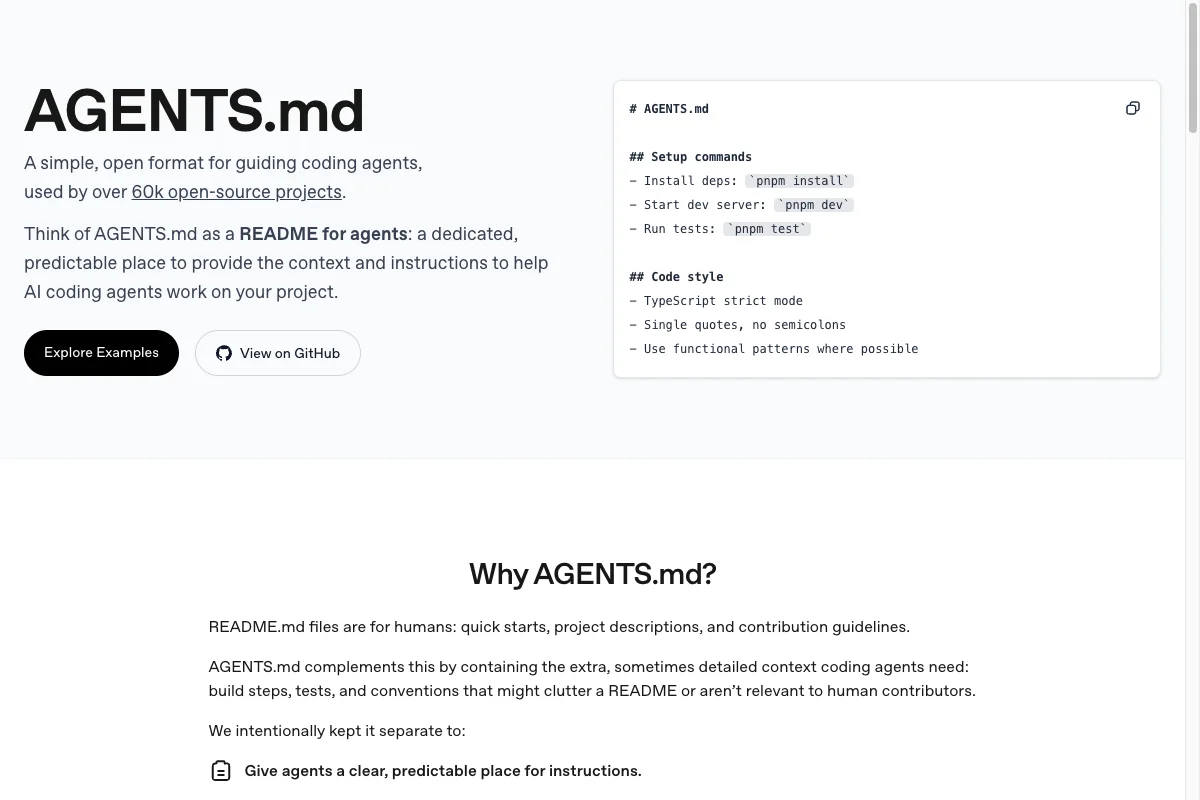
One possible shared base is AGENTS.md. The Markdown file can collect project rules, but support differs by tool.
In this article, I'll show you how to create a clear AGENTS.md and use the compatibility matrix to check where it makes sense.
1. What Is an AGENTS.md File?
AGENTS.md is a Markdown convention for AI coding instructions. Think of it like a README file aimed at a supporting tool.
The genius of it:
It is simple Markdown without special syntax or frontmatter. A tool must explicitly support AGENTS.md or be configured for it before it will load the instructions.
AGENTS.md can be practical for shared rules. Whether it fits your setup depends on the support in the tools your team actually uses.
Some tools support instructions in subdirectories or a hierarchy. Others load only a fixed file. Verify this behavior before using several AGENTS.md files.
2. Which Tools Support Which Standard?
The AI coding landscape is fragmented. Each tool does its own thing. Here you can see at a glance which configuration standards are supported by which tools:
| Tool | AGENTS.md | CLAUDE.md | GEMINI.md | Cursor Rules | Native Config |
|---|---|---|---|---|---|
CLI Tools(5 entries) | |||||
Claude Code Anthropic | No | Native | No | No | CLAUDE.md |
Codex CLI OpenAI | Native | Fallback | No | No | AGENTS.md |
Gemini CLI Google | Configurable | No | Native | No | GEMINI.md |
Aider Open Source | Configurable | No | No | No | .aider.conf.yml |
Factory Droid Factory.ai | Native | Native | No | No | .factory/droids/*.md |
IDE & Editors(6 entries) | |||||
Cursor Cursor Inc. | Native | Native | No | Native | .cursor/rules/*.mdc |
Windsurf Codeium | No | No | No | Similar | .windsurf/rules/*.md |
Amp Sourcegraph | Native | Fallback | No | No | AGENTS.md |
Zed Editor Zed Industries | via ACP | Native | Native | No | settings.json |
JetBrains AI JetBrains | No | No | No | No | .aiassistant/rules/*.md |
Replit Agent Replit | Partial | No | No | No | replit.md |
IDE Extensions(9 entries) | |||||
GitHub Copilot Microsoft | Native | Native | Native | No | copilot-instructions.md |
Continue.dev Open Source | Proposed | No | No | No | .continue/rules/*.md |
Cody Sourcegraph | No | No | No | No | .vscode/cody.json |
Amazon Q AWS | No | No | No | No | .amazonq/rules/*.md |
Tabnine Tabnine | Partial | No | No | No | .tabnine/guidelines/*.md |
Supermaven Cursor (acquired) | No | No | No | No | Editor config |
Augment Code Augment | Native | Native | No | No | .augment/rules/*.md |
Cline Open Source | Native | No | No | No | .clinerules/*.md |
Roo Code Open Source | Native | No | No | No | .roo/rules/*.md |
Autonomous Agents(3 entries) | |||||
Devin Cognition | Partial | No | No | No | Dashboard |
Jules Google | Native | No | No | No | AGENTS.md |
Poolside AI Poolside | No | No | No | No | Enterprise config |
Terminal Tools(1 entries) | |||||
Warp Terminal Warp | No | No | No | No | launch_configurations |
The matrix shows different native, partial, and missing support. Choose files for the concrete tool instead of assuming one convention covers every setup.
My Recommendation for Maximum Compatibility
A controlled approach for several tools:
# Create AGENTS.md only if it does not already exist
if [ -e AGENTS.md ] || [ -L AGENTS.md ]; then
  printf '%s\n' 'AGENTS.md already exists. Merge shared rules manually.'
else
  cp CLAUDE.md AGENTS.md
fi

# Retain CLAUDE.md for Claude Code
# Retain GEMINI.md for Gemini CLI when you use it

# Reconcile shared rules manually in the relevant files
3. Structure and Layout of an AGENTS.md
AGENTS.md is deliberately kept simple. No YAML frontmatter, no special syntax. Just clean Markdown.
After dozens of iterations, this structure has proven optimal:
# Project Name

Brief description of the project and its main goals.

## Development Environment
- Build commands and scripts
- Testing instructions
- Important dependencies

## Code Style Guidelines
- Formatting rules
- Naming conventions
- Architecture patterns

## Project Context
- Important files and their purpose
- Unusual patterns or gotchas
- Performance-critical areas

## Testing Instructions
- Test runner commands
- Coverage requirements
- CI/CD processes
What you should avoid:
- Too many details (> 500 lines are often ignored)
- Outdated information (nothing is worse than wrong instructions)
- Tool-specific syntax (stick to standard Markdown)
- Sensitive information (no secrets or credentials!)
4. Step by Step to the Perfect AGENTS.md
Now it gets practical. I'll show you how to create an AGENTS.md in just a few minutes:
4.1 Project Analysis: What Does the AI Need to Know?
Before you start, ask yourself these questions:
- What are the most common tasks in your project?
- What mistakes does the AI keep making?
- What's unusual about your setup?
- What standards are important to you?
The answers to these belong in your AGENTS.md.
4.2 The Universal Template
Here's my proven template that you can copy and customize directly:
# [Project Name]

[One-sentence description of what the project does]

## Development Setup

```bash
# Installation
npm install  # or yarn/pnpm

# Development
npm run dev

# Build
npm run build

# Tests
npm test
```

## Tech Layers

- **Framework**: [e.g., Next.js 15, React 18]
- **Language**: [e.g., TypeScript with strict mode]
- **Styling**: [e.g., Tailwind CSS v4]
- **Database**: [e.g., PostgreSQL with Prisma]
- **Testing**: [e.g., Jest + React Testing Library]

## Project Structure

```
src/
├── app/          # Next.js App Router
├── components/   # Reusable UI components
├── lib/          # Utilities and services
├── hooks/        # Custom React hooks
└── types/        # TypeScript type definitions
```

## Code Standards

### General Rules
- Prefer TypeScript over JavaScript
- Use functional components with hooks
- Follow ESLint configuration
- Write tests for new features

### Naming Conventions
- Components: PascalCase (UserProfile.tsx)
- Utilities: camelCase (formatDate.ts)
- Constants: SCREAMING_SNAKE_CASE
- Types/Interfaces: PascalCase with suffix (UserType)

### File Organization
- Colocate tests with source files
- Group related components in folders
- Use index.ts for clean imports

## Important Patterns

### API Calls
Always use the API client from lib/api:
```typescript
import { apiClient } from '@/lib/api'
const data = await apiClient.get('/endpoint')
```

### State Management
- Use React Context for global state
- Prefer local state when possible
- Consider Zustand for complex state

## Testing Guidelines

- Write tests alongside implementation
- Focus on user behavior, not implementation
- Maintain > 80% coverage for critical paths
- Use data-testid for reliable selection

## Common Pitfalls to Avoid

- DON'T: Create new files unless necessary
- DON'T: Use console.log in production code
- DON'T: Ignore TypeScript errors
- DON'T: Skip tests for "simple" features
- DO: Check existing components before creating new ones
- DO: Follow established patterns in the codebase
- DO: Keep functions small and focused

## Performance Considerations

- Lazy load heavy components
- Use React.memo for expensive renders
- Optimize images with next/image
- Monitor bundle size

## Deployment

- Main branch deploys to production
- PR previews on Vercel
- Environment variables in .env.local
- Secrets managed via Vercel dashboard

## Additional Resources

- Architecture decisions: docs/architecture.md
- API documentation: docs/api.md
- Component library: Storybook at localhost:6006
4.3 Customization for Your Project
The template is just the start. Here's my proven process for customization:
- Week 1: Use the basic template
- Daily: Note when the AI does something wrong
- Weekly: Update the AGENTS.md with the learnings
- After 1 month: Major revision based on experience
An example from my practice: After 2 weeks, I had added 15 specific rules for my Next.js blog system. The AI error rate dropped by 70%.
5. Avoiding Common Beginner Mistakes
I see these mistakes over and over (and have made some of them myself):
- Being too general: "Write good code" doesn't help. Be specific: "Use async/await instead of .then() chains"
- Information overload: Long files are hard to maintain and easily become outdated. Keep the rules relevant to the task, and link to documentation for the details.
- Forgetting to update: Your project evolves, but the AGENTS.md stays old = chaos
- Tool-specific features: Use only standard Markdown for maximum compatibility
- No examples: Show the AI how it's done right with code examples
- Sensitive data: Never put API keys or passwords in AGENTS.md!
6. Pro Tips for Advanced Usage
Time for the advanced tricks from my daily practice:
6.1 Hierarchical AGENTS.md for Large Projects
project/
├── AGENTS.md                 # Global project rules
├── frontend/
│   └── AGENTS.md            # Frontend-specific
├── backend/
│   └── AGENTS.md            # Backend-specific
└── tests/
    └── AGENTS.md            # Test-specific
Some tools load the nearest file, while others do not. Verify this with a small test project and your tool's documentation before relying on area-specific rules.
6.2 Dynamic Sections for Different Modes
## Mode: Development
- Use verbose logging
- Include debug statements
- Skip optimization

## Mode: Production
- No console.log statements
- Optimize for performance
- Include error tracking

## Mode: Testing
- Mock external services
- Use test database
- Verbose test output
6.3 Team Synchronization with Git
AGENTS.md belongs in the repository! But with a system:
# Project Guidelines

[... Main content ...]

---
## Changelog
<!-- Document team updates -->
- 2025-09-26: Added TypeScript strict rules (FH)
- 2025-09-20: Updated test coverage requirements (TM)
- 2025-09-15: Initial version (FH)

## Personal Overrides
<!-- Don't commit this section -->
<!-- Move locally to AGENTS.personal.md -->
6.4 Performance Monitoring
Measure the impact of your AGENTS.md:
- Track AI error rate before/after updates
- Measure time to correct solution
- Document recurring problems
Compare results before and after a change on recurring tasks. That shows whether the instructions actually help.
7. Migration from Existing Systems
You already have a CLAUDE.md or another configuration? Move shared rules gradually and retain the native files for the tools you use.
Copying shared rules from CLAUDE.md
# Create AGENTS.md only if it does not already exist
if [ -e AGENTS.md ] || [ -L AGENTS.md ]; then
  printf '%s\n' 'AGENTS.md already exists. Merge shared rules manually.'
else
  cp CLAUDE.md AGENTS.md
fi

# Retain tool-specific rules in their native files
# Test each file using the documentation for the tool you use
From Multiple Configs to One AGENTS.md
Many projects have .cursorrules, .claude/config, etc. Here's how to consolidate:
- Collect all existing configs
- Identify overlaps
- Move common rules into AGENTS.md with a clear structure
- Retain native files for the tools you use
- Test every tool with a representative task
8. Maintaining the Configuration Over Time
Tool support and filenames can change. These practices keep your configuration understandable:
- Check documentation: Read the current tool documentation before changing files
- Reconcile shared rules: Deliberately apply changes to the files that need them
- Repeat tests: Check a representative task after a tool update
- Separate tool-specific rules: Keep native files for their respective tools
My advice: Start with a short, clear file and extend it only after your tool demonstrably uses it.
Conclusion: Use AGENTS.md Deliberately
A well-maintained instruction file can make recurring project rules visible and reduce coordination work.
Complete automatic compatibility does not exist. Filenames, load paths, and precedence differ between tools.
Use the template only as a starting point and adapt it to your tool's documentation and workflow.